Use the enhanced MuleSoft experience to manage and apply governance policies across your portfolio, with consistent strategies across providers. Learn more.
We updated the terminology in the API Governance UI to reflect a broader range of asset types. Where Governance previously used "APIs," it now uses "Services." There are no changes to functionality. During this transition, you may see a mix of the new and previous terms in our documentation.
1
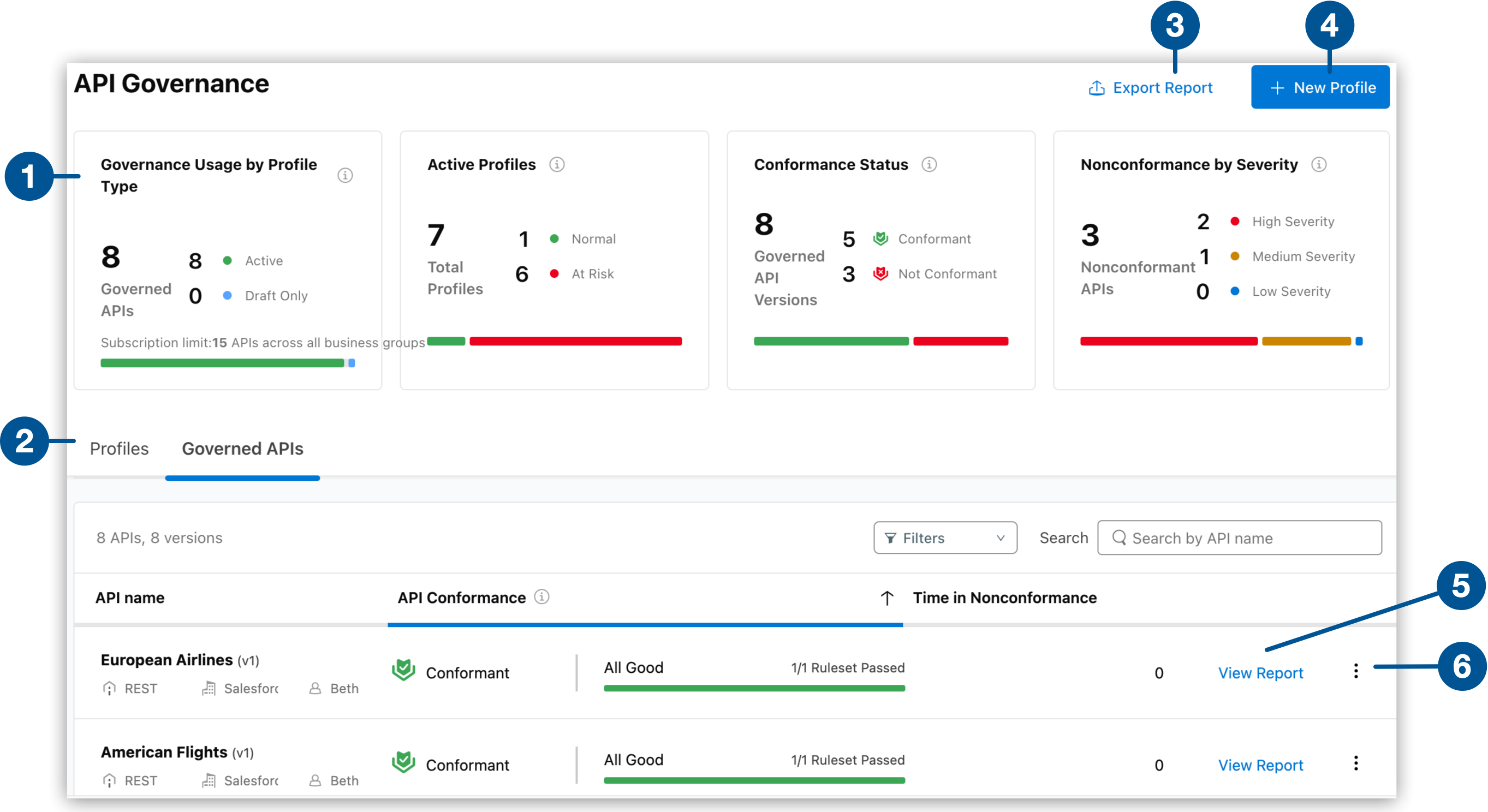
View a summary of your governance usage and conformance status information to monitor your organization’s conformance.
2
View, filter, search, and act on a summary list of your active and draft governance profiles or your governed services.
3
Export conformance reports in CSV format.
4
Create a profile and save it as draft or active.
5
View the comprehensive governance report for a service.
6
Select from the more options menu to take relevant actions. You can export reports for a selected profile or service, view, edit, or delete a profile, notify service owners, or open a service in Exchange.