
Agent Visualizer Overview
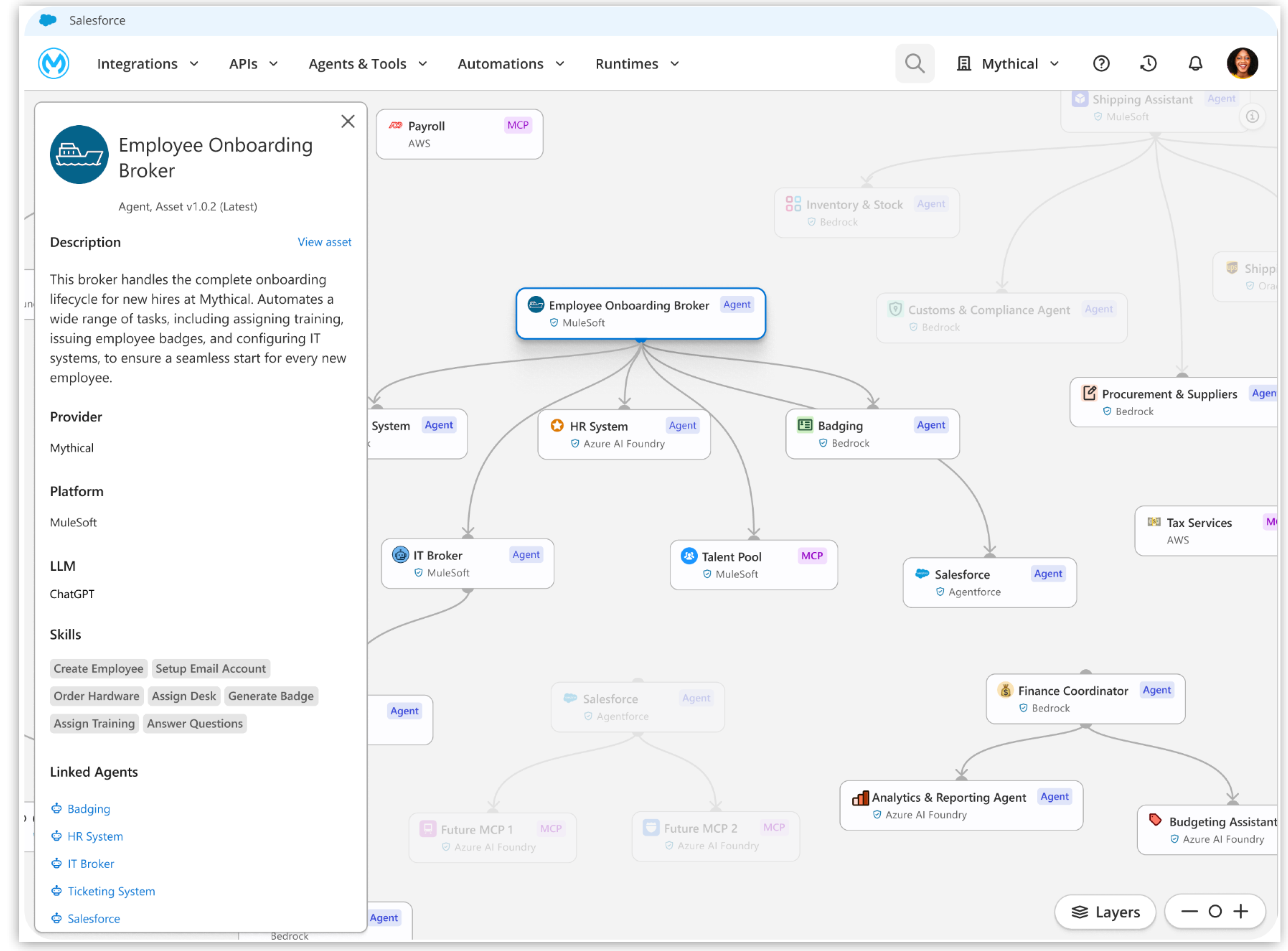
Agent Visualizer provides a detailed visual graph of your agent network so you can see, understand, and interact with your enterprise’s evolving network of agents, Model Context Protocol (MCP) servers, and large language models (LLMs). Agent Visualizer gives you insight into hidden agent interactions, governance gaps, and performance bottlenecks.
Agent Visualizer supports agents created in external platforms including Amazon Bedrock, Microsoft Copilot, and Google Vertex AI.
With Agent Visualizer, you can:
-
View all connected agents, MCP servers, and LLMs on a single map, including relationships and direction of calls.
-
View real-time call volume between agents and MCP servers to identify key pathways and under- or overused connections.
-
Identify which agents lack Omni Gateway policy coverage to spot governance gaps.
-
Select any node to view its purpose, origin, and all active running instances.
-
Filter traffic by production and nonproduction environments.
Agent Visualizer Use Cases
Use Agent Visualizer to gain clarity and control over your agent ecosystem.
-
Discover your agent landscape.
Architects and platform teams can view a complete network graph of enterprise agents to map dependencies, plan integrations, and eliminate shadow IT.
-
Monitor real-time usage.
Developers can validate adoption and consumption patterns by overlaying real-time transaction traffic, helping them optimize performance and capacity.
-
Assess security and compliance coverage.
Security teams can visualize active policies across the network to verify enforcement, spot vulnerabilities, and make sure regulatory compliance.
-
Troubleshoot failures faster.
Operators can trace dependencies, isolate failing nodes, and deep-link into service logs for rapid incident response and root cause analysis.
Before You Begin
Before getting started, make sure you have:
-
An Anypoint Platform account
-
Required Agent Visualizer permissions
Agent Visualizer Permissions
| To… | Required Permission | Notes |
|---|---|---|
View monitoring data for agentic assets. |
Anypoint Monitoring: Monitoring Viewer |
|
View agentic assets. |
Exchange: Exchange Viewer |
|
View API nodes and relationships. |
API Manager: View APIs Configuration |
|
View policies for assets. |
API Manager: View Policies |